Introduction
Video content marketing has become an essential component of modern digital marketing because it helps businesses communicate complex ideas, demonstrate products, educate potential customers, and build lasting relationships with their audiences. As social media platforms, search engines, and digital advertising channels continue to evolve, businesses need video strategies that go beyond generating views and focus on meaningful engagement, brand credibility, audience retention, and measurable business growth.
For startups, small businesses, e-commerce brands, B2B companies, professional service providers, content creators, and digital marketing agencies, understanding which types of video content resonate with target audiences can improve content planning and marketing performance.
The most effective video marketing strategy combines engaging storytelling, relevant information, authentic communication, and platform-specific distribution. A short educational video might introduce a brand to new viewers, while a customer testimonial can help a prospective buyer evaluate a service. Similarly, a detailed product demonstration can answer purchasing questions, and an expert interview can establish a business as a valuable source of industry knowledge.
According to Wyzowl, video remains a widely adopted business marketing format, with its 2026 research covering video usage, benefits, production practices, and challenges.
However, no single video format guarantees engagement or conversions. Results depend on audience relevance, content quality, distribution, and the objectives being measured.
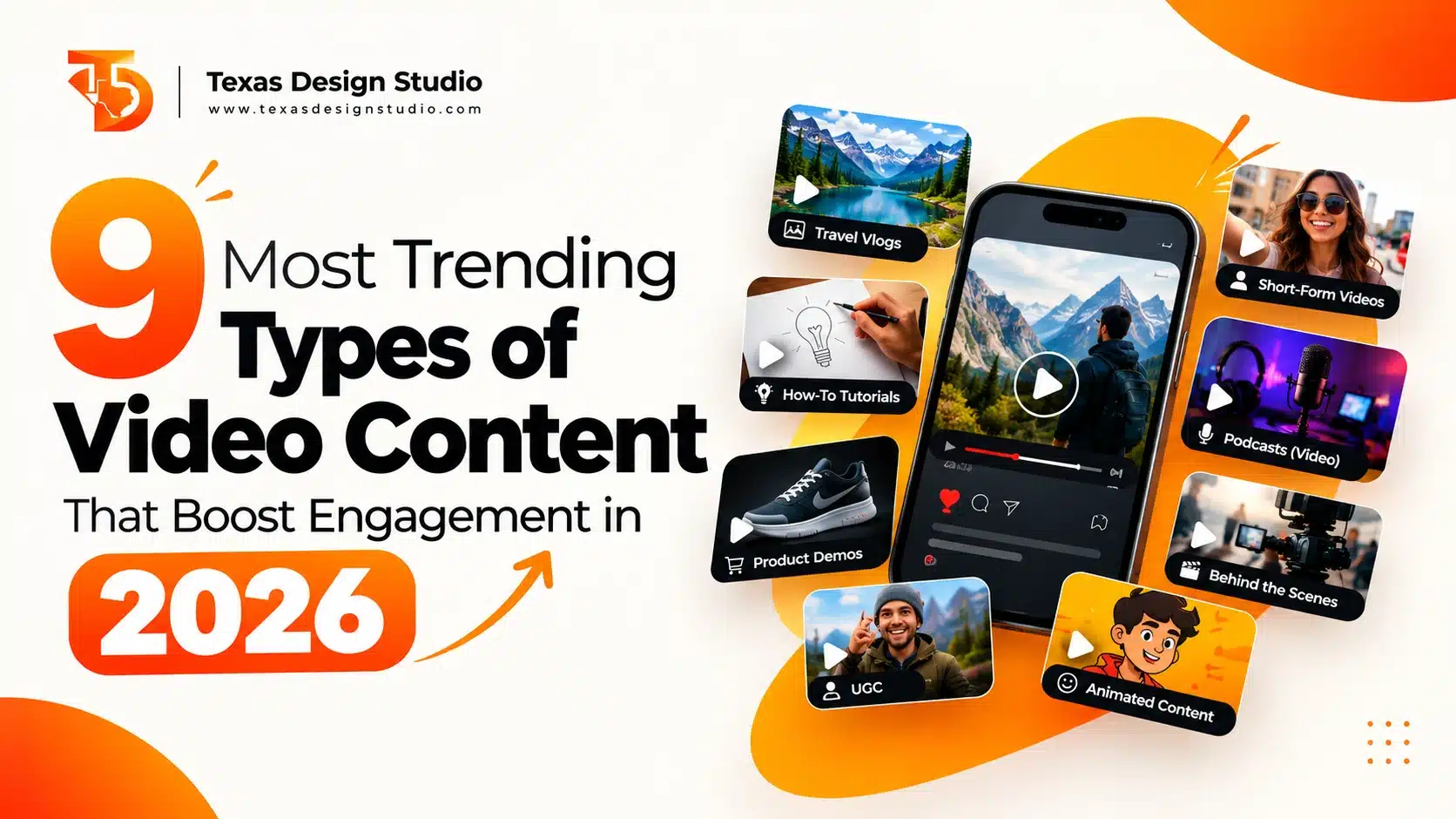
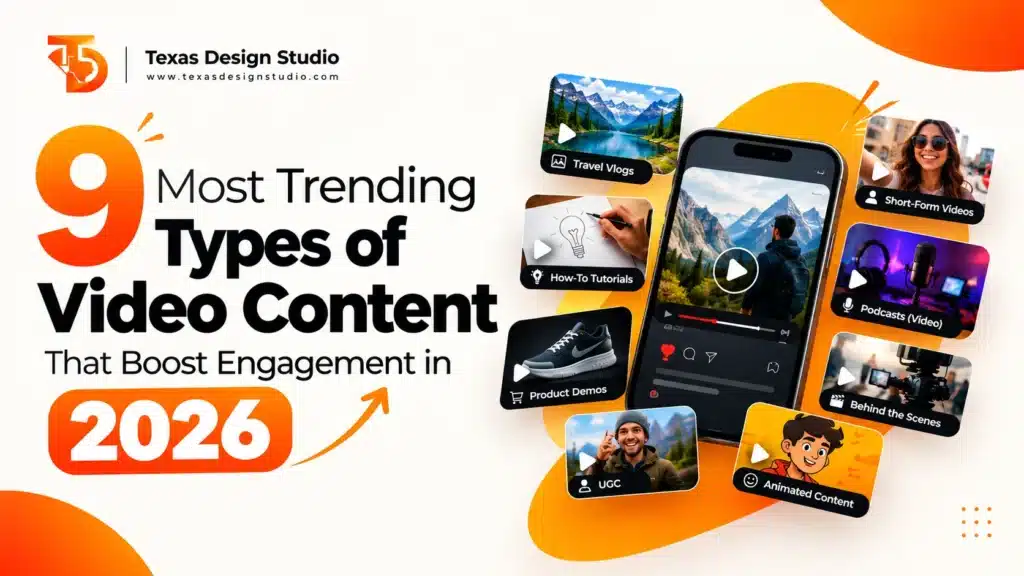
This comprehensive guide explores nine important video content formats, explains why each can be effective, and provides actionable strategies to help businesses improve social media engagement, strengthen their online presence, and turn audience attention into meaningful business outcomes.
1. Short-Form Videos and Vertical Video Content
Short-form video content is one of the most important formats for businesses seeking to reach new audiences, increase social media engagement, and communicate ideas quickly. These videos are designed for easy consumption, particularly on mobile devices, and commonly appear on TikTok, Instagram Reels, YouTube Shorts, and Facebook Reels.
Short-form videos can range from a few seconds to a minute or more, depending on the platform, subject, and creative objective. Their primary advantage is that they allow businesses to communicate one clear message without requiring viewers to commit to a long presentation.
For example, a digital marketing agency can explain a common SEO mistake in 30 seconds, while an e-commerce company can demonstrate a product feature in a brief vertical video. A web design company might show a website transformation, reveal a useful design tip, or explain why mobile usability matters.
Why short-form videos boost engagement
Short-form videos can make it easier for audiences to discover content, understand the message quickly, and decide whether to interact with the brand. Their mobile-friendly presentation also supports frequent content consumption across social platforms.
They can be especially useful for increasing:
- Audience reach: Introduce your brand, expertise, or products to people who have not previously encountered your business.
- Watch completion: Present one focused idea that viewers can understand without unnecessary introductions.
- Social interactions: Encourage viewers to share relatable experiences, save useful tips, or respond to relevant questions.
- Brand recognition: Repeat recognizable visual elements, messaging, and themes across a series of videos.
- Website traffic: Direct interested viewers to a relevant landing page, tutorial, service page, or product listing.
These outcomes are not automatic. A short video can still underperform if the opening is weak, the message is unclear, or the content does not meet audience expectations.
How to create high-performing short-form videos
Start with a compelling hook. The opening moments should immediately communicate why the video deserves attention. Ask a relevant question, highlight a common mistake, present a surprising insight, or demonstrate the result viewers can expect to understand.
Focus on one specific topic. Avoid explaining an entire industry or service in a single short video. Break complex subjects into individual clips that can become part of a consistent educational series.
Use vertical framing where appropriate. A 9:16 aspect ratio is a common choice for mobile-first short-form platforms. Keep important text and visual information within the platform’s visible content area.
Make the video understandable without sound. Accurate captions, clear on-screen text, and strong visual demonstrations can help viewers follow the message when audio is unavailable or muted.
End with a useful next step. Invite viewers to save the tutorial, share their experience, ask a question, or explore a relevant resource. Calls to action should support the video’s purpose rather than appear unnecessarily promotional.
Short-form video ideas for different industries
- Digital marketing agencies: Three common SEO mistakes, quick keyword research tips, and social media marketing advice.
- Web design companies: Website redesign comparisons, user experience improvements, and mobile website tips.
- E-commerce businesses: Product demonstrations, feature highlights, unboxing clips, and product care advice.
- B2B companies: Industry insights, common operational challenges, and brief expert explanations.
- Professional service providers: Frequently asked questions, process explanations, and practical educational advice.
Example: A web development company publishes a series titled “Website Mistakes That Cost You Customers.” Each video addresses one issue, such as confusing navigation, slow-loading pages, unclear calls to action, or poor mobile usability.
This approach creates repeatable content, encourages viewers to explore related videos, and provides a foundation for longer tutorials and website articles.
The best strategy is to treat short-form videos as an entry point into your broader content marketing ecosystem. Use them to attract attention, provide immediate value, and guide interested viewers toward deeper resources when appropriate.
2. Educational Videos and How-To Tutorials
Educational videos and how-to tutorials help businesses attract and retain audiences by answering questions and solving practical problems. Instead of relying exclusively on promotional messaging, these videos teach viewers something useful, demonstrate a process, or explain how to make an informed decision.
This format is particularly valuable for businesses whose customers need information before purchasing a product or hiring a service provider. Digital marketing agencies, software companies, web developers, educational organizations, e-commerce retailers, and B2B service providers can all use tutorials to communicate expertise.
Educational videos may be brief social media clips, detailed YouTube tutorials, recorded webinars, software walkthroughs, or comprehensive lessons embedded in website resource centers.
Why educational videos are valuable
People often search online because they need an answer, want to learn a skill, or are trying to solve a problem. A useful educational video can meet that need while introducing the viewer to a business with relevant expertise.
Educational video content can support several marketing objectives:
- Audience engagement: Viewers have a practical reason to watch, comment, save, or share the information.
- Brand authority: Clear, accurate explanations demonstrate familiarity with the subject.
- Search visibility: Videos can address questions that people search for on YouTube and other search platforms.
- Lead generation: More comprehensive tutorials can direct viewers toward related guides, consultations, or services.
- Customer education: Existing customers can learn how to use a product, troubleshoot an issue, or achieve better results.
- Content repurposing: A detailed tutorial can provide material for shorter videos, blog posts, email newsletters, and social media updates.
Educational content should not be treated as a guaranteed ranking factor or a substitute for website quality. Its value comes from relevance, usefulness, presentation, and how effectively it meets the audience’s needs.
Popular educational video formats
Step-by-step tutorials: Show viewers how to complete a task from beginning to end. Examples include configuring software, setting up an online store, or creating a social media campaign.
Beginner guides: Explain fundamental concepts for people who are new to a topic. These videos should minimize jargon and provide enough context for viewers to understand the process.
Problem-solving videos: Identify a specific problem, explain its likely causes, and demonstrate appropriate solutions.
Mistakes and best practices: Help viewers avoid common errors and understand more effective approaches.
Frequently asked questions: Answer recurring customer questions in a clear, concise, and accessible format.
Advanced educational content: Provide detailed strategies, technical demonstrations, and professional insights for experienced audiences.
How to develop an effective tutorial
Start by identifying a real audience problem. Review customer inquiries, sales conversations, website search data, relevant search suggestions, and recurring questions from social media discussions.
Next, define a single learning objective. Decide what viewers should understand or be able to do after watching the video.
Organize the presentation into a logical sequence:
- Explain the problem and why it matters.
- Introduce the solution or learning objective.
- Demonstrate the process using clear examples.
- Explain common mistakes or limitations.
- Summarize the most important steps.
- Direct viewers toward a relevant next resource.
For technical tutorials, use readable screen recordings, clear narration, zoomed-in demonstrations, and accurate captions. For practical demonstrations, show the process rather than relying entirely on verbal explanations.
Example: An SEO agency creates a tutorial explaining how to identify indexing problems in Google Search Console. The video demonstrates where to locate relevant reports, how to interpret common status messages, and how to investigate potential technical issues without promising that every indexing problem has the same solution.
The agency can complement the video with a detailed website article, a troubleshooting checklist, and a link to its technical SEO audit service.
This strategy provides value before introducing a commercial offering. It can also help the business attract people who are actively researching solutions, improve customer understanding, and establish a consistent library of educational content.
Educational video SEO best practices
Use descriptive titles that accurately reflect the subject. Include relevant terms naturally in the title, description, transcript, and surrounding website content when appropriate. Organize longer videos into chapters, provide useful examples, and create an accessible viewing experience.
When embedding videos on your website, ensure that the surrounding page offers meaningful information rather than simply duplicating a video title. Add a relevant introduction, key takeaways, supporting resources, and an appropriate call to action.
Ultimately, the strongest educational videos do more than attract views. They help people accomplish something valuable, build confidence in the source, and give audiences a reason to return for more information.
3. User-Generated Content (UGC) and Authentic Creator Videos
User-generated content, commonly known as UGC, refers to content created by customers, product users, community members, and other individuals rather than exclusively by a company’s internal marketing team. In video marketing, UGC includes product reviews, unboxing videos, personal experiences, demonstrations, customer stories, and videos showing how a product fits into everyday life.
Authentic creator-style content is particularly useful for brands that want to communicate in a more relatable way. Instead of presenting a highly polished advertisement, businesses can show real people explaining how they use a product, what they appreciate about it, and what potential buyers should understand before making a decision.
However, UGC and influencer marketing are not identical. UGC describes the content format and its creator-led nature, whereas influencer marketing involves partnering with individuals who have an audience or influence in a particular community. A creator can produce UGC for a brand without necessarily publishing it to their own followers.
Why UGC can increase audience engagement
Consumers frequently want practical information and credible experiences before purchasing unfamiliar products or services. Videos featuring real experiences can make a product easier to understand and give potential customers additional context for evaluating it.
UGC can support:
- Authenticity: Natural demonstrations and conversational explanations can feel more relatable than traditional advertising.
- Social proof: Genuine customer experiences can help prospective buyers evaluate a product or service.
- Community participation: Customers may feel encouraged to contribute their own experiences and join brand conversations.
- Content variety: Different customers and creators provide fresh perspectives on the same offering.
- Purchase confidence: Realistic demonstrations can answer questions about functionality, usability, and everyday application.
- Brand awareness: Customers and creators may introduce a product to relevant audiences through their own channels.
The effectiveness of UGC depends on the quality and relevance of the content, the credibility of the creator, and the audience’s needs. A customer video is not automatically trustworthy simply because it appears informal.
The most effective types of UGC videos
Customer experience videos: Customers explain how they discovered a product, why they selected it, and how they use it.
Unboxing videos: Creators show packaging, included components, initial setup, and first impressions.
Real-world demonstrations: Users demonstrate how a product performs in a realistic situation.
Problem-and-solution videos: Creators explain a practical challenge and demonstrate how the product fits into their workflow.
Community challenge videos: Businesses invite customers to participate in a relevant creative activity or share their own experiences.
Creator-produced product videos: A brand commissions creators to develop natural, audience-focused demonstrations for use in its marketing campaigns.
How to build a UGC video marketing strategy
Begin by identifying the types of customer experiences that would help your audience make better decisions. An e-commerce business might need product demonstrations, while a software company may benefit more from customer workflow videos or practical user stories.
Invite customers to participate voluntarily. Explain where the content may be published, obtain the necessary permissions, and provide simple guidance on the topic or key questions to address.
Allow creators to communicate naturally instead of requiring every participant to repeat identical marketing language. If a video is intended to communicate specific product facts, verify those claims before publication.
Create a review process that checks content accuracy, brand suitability, privacy, rights, and advertising disclosure requirements. Paid partnerships, gifted products, and other material connections should be disclosed when applicable.
Example: An online retailer selling home office accessories invites customers to share short videos demonstrating how they organize their workspaces. With permission, the retailer publishes selected clips showing different room layouts, product applications, and practical organization ideas.
The result is a collection of varied, relevant videos that can be used on social media, product pages, and other appropriate marketing channels.
For B2B companies, the same principle can be applied through authentic customer walkthroughs, client interviews, software use cases, and customer-led demonstrations.
The goal is not to manufacture positive opinions. It is to make it easier for genuine customers to share relevant experiences that help other people understand the offering.
4. Behind-the-Scenes Videos and Brand Storytelling
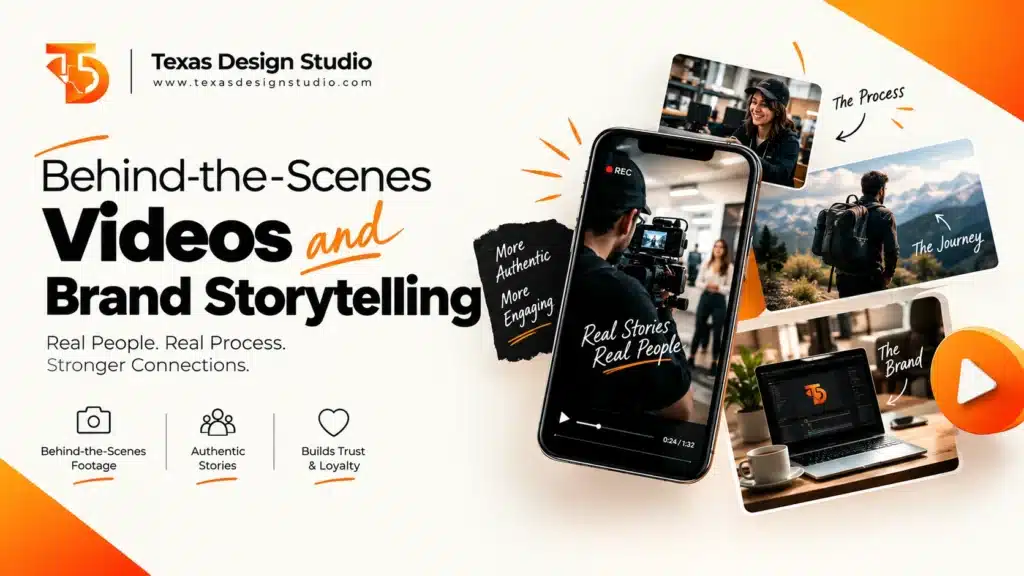
Behind-the-scenes videos reveal the people, processes, decisions, and activities that make a business distinctive. They offer a look at how work happens rather than showing only the final product or polished promotional message.
These videos can help audiences become familiar with a company, understand its working methods, and see the human effort behind its services. They are particularly relevant to businesses where trust, relationships, expertise, and service quality influence purchasing decisions.
Brand storytelling takes this concept further by connecting individual moments to a broader narrative about a company’s purpose, values, challenges, customer commitments, and approach to its work.
Why behind-the-scenes content builds stronger connections
People evaluating a business may want to understand more than what it sells. They may also want to know who provides the service, how projects are managed, what quality standards are followed, and whether the company understands their needs.
Behind-the-scenes videos can make those details easier to communicate.
They can help businesses:
- Humanize the brand through employee introductions and everyday interactions.
- Demonstrate expertise through visible work processes.
- Explain quality assurance, research, design, or production decisions.
- Introduce company culture and professional values.
- Create recurring content without relying exclusively on promotional campaigns.
- Build familiarity with potential customers before an initial consultation.
These videos should be genuine representations of the organization. A staged workplace scene or exaggerated company culture can undermine trust if it conflicts with the actual customer experience.
Behind-the-scenes video ideas for businesses
A day in the life: Follow a team member through selected tasks to demonstrate the skills and responsibilities involved in their work.
Project development: Show how a project moves from initial planning through design, production, review, and delivery.
Meet the team: Introduce employees, specialists, founders, or project managers and explain their roles.
How we work: Demonstrate the methods and processes that help the business deliver its services.
Problem-solving stories: Explain a challenge the team encountered, how it evaluated possible solutions, and what it learned.
Product creation: Show relevant stages of product design, manufacturing, packaging, or preparation.
How to create engaging behind-the-scenes videos
Choose a specific story rather than recording unrelated office footage. A useful video should reveal something meaningful about the business, its people, or the process being shown.
Start with a clear narrative: What is happening? Why does it matter? What will the audience learn or discover?
Use natural conversations, short interviews, process demonstrations, and relevant visual details. Add captions where appropriate, and ensure that confidential documents, customer information, internal systems, and private conversations are not unintentionally exposed.
Example: A website development company creates a behind-the-scenes video titled “How We Build a Business Website.” It follows the project through requirement gathering, wireframing, user interface design, development, quality assurance, and launch preparation.
Rather than merely listing services, the company shows the work involved in producing a professional website and explains why each stage matters.
This type of video can help potential clients understand the development process, appreciate the role of planning and testing, and ask better questions when discussing their own projects.
Connecting brand storytelling to business goals
Every behind-the-scenes video should have a reason for existing. A team introduction might build familiarity, while a development walkthrough might educate potential clients about service quality.
Use a consistent storytelling approach across your content calendar. Over time, individual videos can create a more complete picture of the business and help audiences understand what differentiates it from competitors.
5. Customer Testimonial Videos and Video Reviews
Customer testimonial videos feature customers describing their experiences with a company’s products, services, or customer support. Video reviews can provide similar information, often with a stronger emphasis on evaluating specific features, performance, benefits, and limitations.
These formats are particularly valuable when customers face uncertainty before making a purchase. A prospective client may want to understand whether a service provider communicates effectively, whether a product is easy to use, or whether the company’s approach fits their requirements.
Wyzowl’s 2026 video marketing research includes testimonial videos among the business video formats marketers use.
Why testimonial videos can influence purchasing decisions
Customer testimonials add another perspective to a business’s marketing message. Instead of hearing only what a company claims about itself, prospective customers can learn how an actual customer describes the experience.
Effective testimonials may help:
- Establish credibility through genuine customer experiences.
- Explain how a service addresses a real business problem.
- Answer objections that frequently arise during the sales process.
- Provide context for product features and service benefits.
- Help prospective customers assess whether an offering suits their needs.
- Support conversions on relevant landing pages and service pages.
A testimonial should not be treated as proof that every customer will achieve the same outcome. Its purpose is to communicate a particular customer’s experience accurately and transparently.
The structure of an effective customer testimonial
A useful testimonial video can follow a simple narrative.
- Introduce the customer and their situation. Explain the customer’s role, industry, or relevant context, with permission.
- Describe the original problem. What challenge or need led the customer to consider the product or service?
- Explain the decision. Why did the customer choose the business, and what factors mattered most?
- Describe the experience. How did the process work? What did the customer find helpful or valuable?
- Discuss the outcome. Share the results the customer actually experienced, supported by evidence when measurable claims are included.
- Summarize the experience. Let the customer explain who might benefit from the offering or what they would want other prospective buyers to understand.
Questions to ask during a testimonial interview
- What challenge were you trying to solve?
- What alternatives did you consider?
- Why did you choose this company or product?
- What was your experience during the process?
- Which features or aspects of the service were most useful?
- What changed after using the product or service?
- What would you tell someone considering a similar solution?
These questions provide structure without requiring customers to deliver a rigid, scripted endorsement.
Example: A B2B client describes why its previous website was difficult to navigate, how it approached a redesign project, and what improvements it observed after launch. If the company reports increased inquiries or better conversion performance, the claims should be substantiated and presented with appropriate context.
Where to use customer testimonial videos
- Service and product pages.
- Campaign-specific landing pages.
- Social media marketing campaigns.
- Sales presentations and proposals.
- Email marketing sequences.
- Case study pages and relevant resource libraries.
Obtain permission, disclose incentives or other material relationships when required, and avoid editing testimonials in ways that distort the customer’s meaning.
For professional service businesses, customer testimonials are most persuasive when they describe specific experiences rather than relying on generic statements such as “great service” or “high quality.”
6. Product Demonstration, Review, and Shoppable Videos
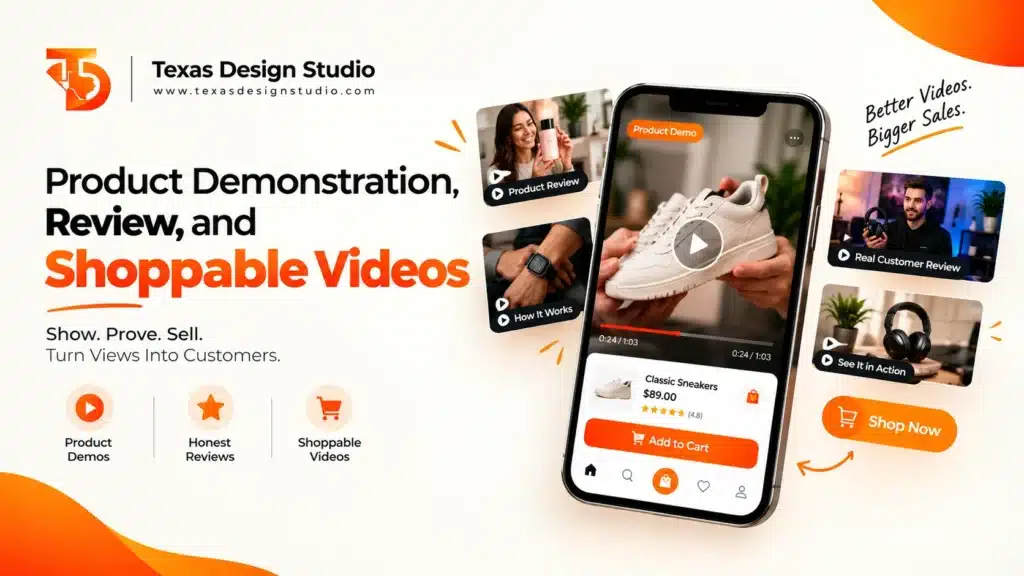
Product demonstration videos show how an item works, what it does, and how customers can use it. Product review videos evaluate features and practical performance, while shoppable videos connect video discovery with shopping options through supported platform features.
These formats are useful for e-commerce stores, software companies, electronics brands, beauty businesses, fashion retailers, consumer product manufacturers, and service providers offering demonstrable solutions.
A product page containing clear video demonstrations can help shoppers understand details that may be difficult to communicate through text or still images alone. However, the impact depends on the product, presentation quality, audience needs, and the overall shopping experience.
Different types of product videos
Feature demonstrations: Show the main product features and explain how they work.
Unboxing videos: Present packaging, included components, setup requirements, and initial impressions.
Product comparisons: Explain differences between models, versions, or solutions using fair and relevant criteria.
How-to-use videos: Teach customers how to set up, operate, maintain, or troubleshoot a product.
Real-world demonstrations: Show the product in a realistic context rather than relying only on studio footage.
Shoppable videos: Where supported, connect featured products to product listings or purchasing options.
Software walkthroughs: Demonstrate how users navigate a platform, complete tasks, and use key functions.
How product videos increase engagement and support conversions
Customers may hesitate to purchase when they cannot clearly understand a product’s size, function, compatibility, usability, or practical benefits.
A demonstration can reduce some of this uncertainty by showing the product in action and answering common questions before the customer reaches checkout.
To make product videos more effective:
- Begin with the customer need the product addresses.
- Show the product working rather than describing every feature verbally.
- Highlight relevant details through close-up footage, screen recordings, or demonstrations.
- Explain important specifications and compatibility requirements accurately.
- Address common questions and meaningful limitations.
- Direct viewers to a relevant product page or additional buying information.
- Make sure the linked destination matches the product featured in the video.
Example: An e-commerce business selling ergonomic office equipment creates a short video showing how a desk accessory is installed, how its adjustments work, and which workspace configurations it supports. The video includes a link to the correct product page and additional setup information.
This provides more useful context than a generic promotional clip focused only on appearance.
Product video strategies for B2B and software businesses
Product demonstrations are not limited to physical products. B2B companies can show software dashboards, business workflows, reporting features, integration options, and common use cases.
For example, a project management software provider might create separate videos explaining task assignment, team collaboration, reporting, and project tracking. Each video addresses a specific question and can link to a relevant feature page or demonstration request.
Businesses should distinguish between product demonstrations and unsupported performance claims. Show actual functionality, disclose important limitations, and ensure that results presented in the video reflect what the product can reasonably deliver.
7. Live Streaming, Q&A Sessions, and Interactive Video Content
Live streaming allows businesses and content creators to communicate with audiences in real time. Rather than publishing only pre-recorded content, brands can answer questions, demonstrate products, interview specialists, discuss current industry issues, and respond to audience feedback as it happens.
Live video is particularly valuable when direct interaction adds something that a conventional recorded video cannot easily provide.
Why live video can encourage engagement
Live sessions give viewers opportunities to participate instead of simply watching. Depending on the platform and session format, participants may ask questions, contribute comments, vote in polls, or request demonstrations.
Live video can support:
- Direct communication between a business and its audience.
- Real-time answers to customer questions.
- Product education and demonstrations.
- Community participation and discussion.
- Lead generation through relevant webinars and workshops.
- Reusable recordings and short-form video clips.
However, live streaming requires preparation. Technical problems, unclear presentation, irrelevant topics, or long periods without useful content can discourage participation.
Live video formats that businesses can use
Live Q&A sessions: Answer questions about a specific topic, service, product, or industry challenge.
Product launches: Introduce a new offering, demonstrate key features, and respond to audience questions.
Educational webinars: Provide structured training, practical demonstrations, and expert guidance.
Expert interviews: Invite relevant specialists to discuss a subject that matters to the target audience.
Live tutorials: Demonstrate a process while answering questions from participants.
Customer support sessions: Explain common issues and guide customers toward appropriate solutions.
How to plan a successful live session
Start by defining the audience, subject, and desired outcome. A session titled “How to Improve Your Website’s Conversion Rate” is more informative than a vague announcement that the company is going live.
Promote the session in advance through relevant social media channels, email campaigns, or website announcements. Prepare an outline, test audio and video equipment, check internet connectivity, and identify the questions that the presentation should address.
During the session, introduce the topic quickly, explain the structure, and invite relevant participation. Monitor audience questions without allowing the discussion to become disorganized.
End with a concise summary and a relevant next step, such as accessing a resource, booking a consultation, or watching a related tutorial.
Example: A digital marketing agency hosts a live workshop explaining common website SEO problems. The presenter demonstrates how to review indexing, internal links, page titles, and mobile usability, then answers questions from participants.
The agency can subsequently turn the recording into a longer educational resource and create short clips addressing individual questions.
Repurposing live video content
The value of a live session does not need to end when the broadcast finishes.
With appropriate permissions and platform support, a business can extract useful segments, create short educational clips, publish a written summary, and develop follow-up resources.
For example, a 45-minute webinar may generate several short videos, a frequently asked questions article, an email newsletter, and a more comprehensive guide.
This approach allows businesses to extend the value of their preparation while presenting information in formats that suit different audience preferences.
8. Explainer Videos, Animated Videos, and Motion Graphics
Explainer videos simplify complicated ideas, products, services, and business processes through narration, animation, screen recordings, or visual storytelling. Motion graphics use animated text, shapes, diagrams, and other visual elements to make information easier to follow.
These formats are especially valuable when a subject is abstract, technically complex, or difficult to demonstrate through conventional filming.
Wyzowl’s 2026 video marketing research identifies explainer videos as a common format in business video production.
Why explainer videos are effective
Potential customers often need to understand what a business offers, how a product works, and why a solution might be relevant before they consider purchasing it.
Explainer videos can organize that information into a clear sequence, combining spoken explanations with visuals that illustrate the main concepts.
They can help businesses:
- Introduce unfamiliar services and technologies.
- Explain technical processes using simplified diagrams.
- Demonstrate how individual features work together.
- Communicate a value proposition consistently.
- Support customer onboarding and product education.
- Provide reusable content for websites, presentations, and social media.
Popular explainer video formats
Animated explainers: Use characters, illustrations, and animated scenes to communicate an idea.
Motion graphics: Present information through animated text, diagrams, icons, and data visualizations.
Whiteboard-style videos: Explain a concept through a sequence of drawings and narrated steps.
Screen-recorded explainers: Demonstrate software, websites, and digital workflows directly on screen.
Process videos: Visualize how a system or service operates from beginning to end.
Infographic videos: Present selected statistics, comparisons, or key facts through visual storytelling.
How to create a compelling explainer video
First, identify what your audience needs to understand. Do not begin with animation effects or visual styles before defining the communication objective.
Develop a concise script that explains the problem, introduces the solution, and demonstrates how the process works. Use language that matches the audience’s familiarity with the subject.
Next, create a storyboard outlining each scene, its narration, and the visual information needed to support it. Keep each scene focused on one main point.
Use animation to clarify information rather than decorate it unnecessarily. Make text readable, maintain consistent visual design, and ensure that the narration is clear and accessible.
Example: A digital agency offering generative engine optimization services creates an explainer video showing how clear website information, relevant entities, useful original content, and trustworthy references can help search systems interpret a business’s expertise.
The video explains the concept without promising guaranteed citations or placement in AI-generated answers.
The company can publish the explainer on its service page, use selected segments in social media campaigns, and link to a more detailed article for viewers who want additional information.
How explainer videos support conversion
Explainer videos can be particularly useful on pages where visitors need to understand an unfamiliar offering before taking action.
Place the video near relevant explanatory content and provide a clear next step. Depending on the business objective, this could be a request for a consultation, a product demonstration, a downloadable guide, or an appropriate contact form.
Measure whether the video attracts relevant viewers, supports engagement with the page, and contributes to meaningful actions. Do not assume that adding animation automatically improves conversion rates.
9. Video Podcasts, Expert Interviews, and Long-Form Educational Content
Video podcasts, expert interviews, panel discussions, and long-form educational videos allow businesses to explore subjects in greater depth than many short-form formats permit.
These videos are useful when the audience needs detailed explanations, expert perspectives, nuanced discussions, or a comprehensive understanding of a topic. They are especially relevant to B2B companies, professional services, technology businesses, educational organizations, and industry-focused content creators.
Short-form content can introduce a topic, while long-form videos can help interested viewers investigate it further. The formats can therefore complement each other rather than compete for the same purpose.
Why long-form video can be valuable
A longer video creates room for context, examples, demonstrations, follow-up questions, and discussion of competing approaches.
It can help businesses:
- Demonstrate subject-matter expertise.
- Develop deeper relationships with an interested audience.
- Explore complex industry questions.
- Provide detailed educational resources.
- Feature credible specialists and relevant customer perspectives.
- Generate multiple pieces of derivative content from one recording.
Long-form content is not automatically more engaging than short-form video. The appropriate duration depends on the topic, the viewer’s motivation, the presentation quality, and the amount of useful information being delivered.
Popular long-form video formats
Video podcasts: Recurring discussions covering a defined subject, industry, or audience interest.
Expert interviews: Conversations with professionals who can provide relevant knowledge and practical insights.
Educational workshops: Detailed demonstrations that teach a skill or explain a process.
Industry roundtables: Discussions in which multiple participants explore a topic from different perspectives.
Case study videos: Structured explanations of a real project, including the original challenge, approach, implementation, and verifiable results.
Deep-dive tutorials: Comprehensive guides for viewers who need more than an introductory explanation.
How to plan an engaging video podcast or interview
Choose a topic with enough depth to support a meaningful discussion. Define the audience and identify the questions that would help viewers understand the subject.
Prepare a structured outline rather than relying entirely on improvisation. Introduce the topic, explain why it matters, organize the conversation into logical sections, and reserve time for practical examples and audience questions.
Invite guests because their experience or perspective adds genuine value, not simply because they have a large following. Confirm the discussion points in advance and avoid making unsupported claims about their expertise or results.
Ensure that the recording has clear audio, appropriate lighting, and an understandable presentation. Good audio is particularly important because viewers may tolerate a simple visual setup more readily than difficult-to-understand speech.
Example: A web development company produces an interview series featuring specialists discussing website security, accessibility, user experience, e-commerce development, and technical SEO. Each episode answers a central question and provides examples that business owners can use when evaluating their websites.
The company publishes the full episode on an appropriate video platform, embeds it in a related website resource, and creates short clips covering individual insights.
Repurposing long-form video into a content marketing system
A single well-planned interview can generate multiple related assets:
- Short-form clips featuring the most useful explanations.
- A written article summarizing the main discussion.
- Frequently asked questions based on the interview.
- A newsletter featuring selected insights.
- Social media posts that invite further discussion.
- Supporting website resources that explain complex concepts in more detail.
Each derivative asset should be edited for its intended platform and audience. Avoid simply publishing identical material everywhere without considering differences in viewing behavior and content requirements.
The long-form recording provides depth, while the shorter pieces help new audiences discover the subject and decide whether they want to explore it further.
How to Choose the Right Video Content Strategy for Your Business
Although all nine video formats can support digital marketing, businesses should prioritize the types that align with their audience, resources, and commercial objectives.
For increasing brand awareness
Prioritize short-form videos, behind-the-scenes content, and relatable creator videos. These formats can introduce your business to new audiences and communicate your personality quickly.
For building expertise and search visibility
Focus on educational tutorials, explainers, and expert interviews. Address questions your target audience actually searches for and connect videos with useful supporting website resources.
For building trust and credibility
Use authentic customer testimonials, customer stories, and behind-the-scenes videos. Demonstrate how your business works and present real customer experiences responsibly.
For generating leads and sales
Develop product demonstrations, detailed tutorials, case study videos, and relevant webinars. Connect each video to a suitable landing page, product page, or inquiry process.
A Practical 30-Day Video Content Marketing Plan
Businesses do not need a large production budget to begin improving their video marketing. A focused 30-day plan can help establish a publishing routine, test different content formats, and identify promising topics.
Week 1: Audience research and planning
Identify your audience’s needs, review frequently asked questions, select four to six topics, and define the purpose of each video. Prepare scripts or outlines and establish baseline performance metrics.
Week 2: Produce and publish
Create a small batch of short-form videos, one educational tutorial, and one behind-the-scenes or product-focused video. Add captions and platform-appropriate titles.
Week 3: Encourage interaction
Respond to comments, answer audience questions, test different opening hooks, and publish another video based on a question or problem viewers care about.
Week 4: Analyze and improve
Review watch time, audience retention, shares, saves, clicks, and relevant conversions. Identify which topics and formats deserve further investment in the next month.
This schedule is a starting point rather than a universal publishing formula. Adjust the volume and format mix to suit your team’s capacity, audience expectations, and available resources.
Common Video Marketing Mistakes to Avoid
Even creative video content can fail to produce meaningful results when the strategy overlooks basic audience needs.
- Focusing on views instead of business objectives. A video may attract a large audience without generating relevant inquiries or sales. Evaluate performance according to the purpose of each video.
- Making every video promotional. Constant sales messaging can reduce the value viewers receive from following your brand. Balance promotional videos with educational, entertaining, and community-focused content.
- Using weak introductions. Long introductions and unclear opening messages can cause viewers to leave before reaching the useful information. Communicate the value early.
- Ignoring audience questions. Content based on internal assumptions may miss the challenges customers actually face. Use customer conversations, search queries, and feedback to guide topic selection.
- Publishing without a clear content strategy. Random uploads make it harder to build recognizable themes or learn from performance. Establish a manageable schedule and connect individual videos to broader marketing objectives.
- Neglecting accessibility and audio quality. Unclear sound, missing captions, and difficult-to-read text create unnecessary barriers. Prioritize understandable narration, accurate captions, and accessible presentation.
- Copying trends without considering relevance. A popular sound, challenge, or editing style may not suit every brand. Use trends selectively when they support your message and audience.
- Ignoring measurement and experimentation. Do not assume that one successful video establishes a permanent formula. Test different approaches, review comparable results, and continue improving.
Frequently Asked Questions About Trending Video Content
What types of video content get the most engagement?
Short-form videos, educational tutorials, authentic creator videos, behind-the-scenes content, customer testimonials, product demonstrations, live streams, explainer videos, and expert interviews can all generate engagement. The strongest format depends on your target audience, subject, platform, and marketing objective.
Which video content is best for social media marketing?
Short-form vertical videos are a practical starting point for many social media strategies because they can communicate ideas quickly and support discovery on mobile-first platforms. Educational clips, demonstrations, customer stories, and behind-the-scenes videos provide additional variety.
How long should a marketing video be?
There is no single ideal duration for every video. Use the time necessary to communicate the message clearly without unnecessary repetition. Short-form clips may deliver a single tip in seconds, while detailed tutorials, webinars, and interviews may require substantially more time.
How can small businesses create engaging videos on a limited budget?
Start with a smartphone, clear audio, natural lighting, a simple script, and free or affordable editing tools. Record several related videos in one session, use accurate captions, and focus on helpful content rather than expensive production effects.
How often should a business post video content?
Choose a schedule your team can maintain consistently. A few useful videos each week may be more sustainable than daily uploads that compromise quality. Review audience response and production capacity before increasing publishing frequency.
Can video content improve SEO?
Video can support an SEO strategy by answering audience questions, enriching relevant website pages, and helping visitors understand products or services. Search visibility still depends on numerous factors, including content relevance, page quality, accessibility, and technical implementation. Publishing a video does not guarantee higher rankings.
How can businesses turn video engagement into leads?
Provide a logical next step that matches the video topic. Educational videos can link to relevant guides, product demonstrations can link to product pages, and expert webinars can invite viewers to request a consultation. Track qualified inquiries and conversions rather than relying only on views.
Conclusion: Build a Video Strategy That Turns Attention Into Growth
The nine most trending types of video content that boost engagement provide businesses with different ways to attract audiences, explain their expertise, demonstrate products, build credibility, and encourage meaningful interactions.
Short-form videos help introduce ideas quickly. Educational tutorials answer practical questions. UGC and customer testimonials communicate authentic experiences. Behind-the-scenes videos humanize businesses, while product demonstrations and explainers help audiences understand unfamiliar offerings. Live streaming creates opportunities for direct interaction, and video podcasts provide room for deeper discussion.
The most effective video marketing strategy does not depend on chasing every trend. It combines audience research, useful storytelling, consistent production, platform-specific optimization, and measurable business objectives.
Start with the formats that best address your customers’ needs, test different approaches, and expand your strategy as you learn what works. When video content consistently provides value and connects viewers with relevant next steps, it can become a sustainable part of your broader digital marketing, content marketing, and brand growth strategy.